
Features
Everything a print shop runs on.
Each module works on its own and hands off to the next, from the first message to the completed sale. Tags show the first package that includes it.
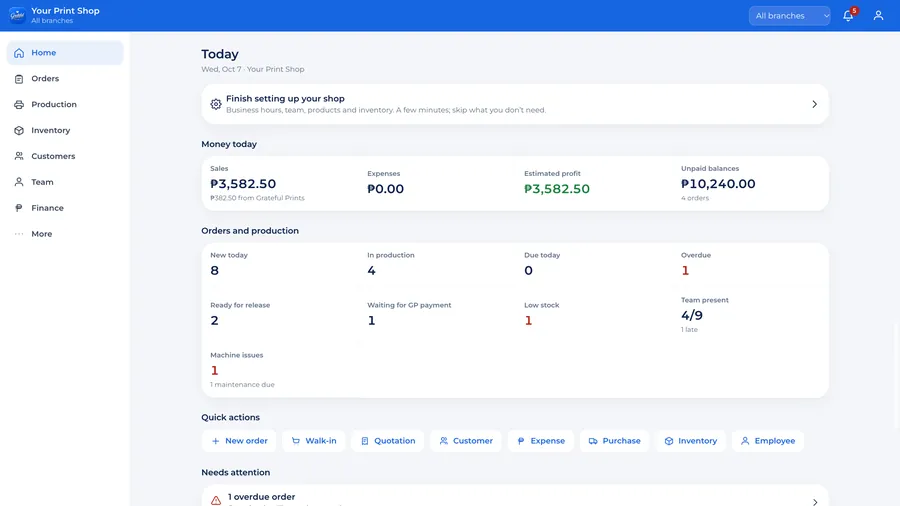
Today and alerts START
Open the OS and know what needs you.
One screen for the day: money in and out, new orders, jobs in production, what is due, what is overdue and who came in.
- Sales, expenses, estimated profit and unpaid balances for today
- Alerts for overdue jobs, low stock, machines down and ready jobs with a balance
- Quick actions: new order, walk-in sale, quotation, customer, expense, purchase
Orders and job tickets START
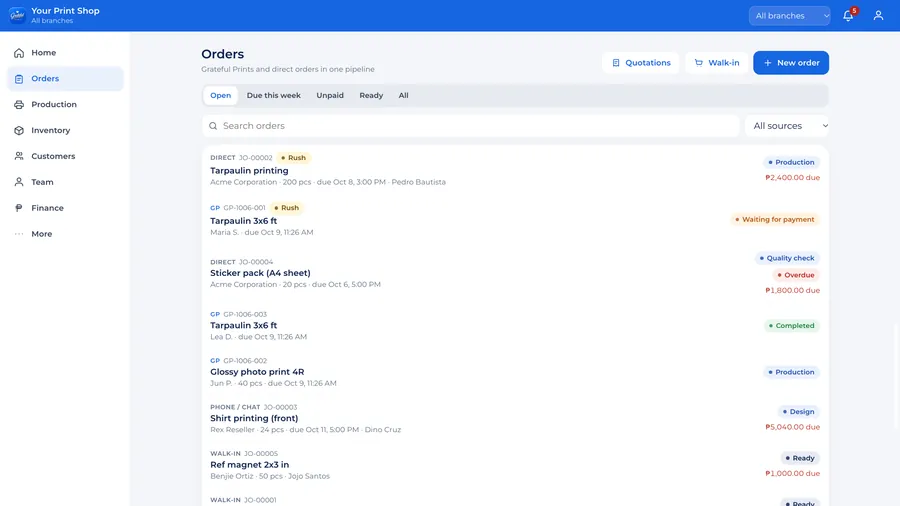
Every order in one list, with a job ticket attached.
Walk-in, chat, phone, email and Grateful Prints orders land in the same list. Each one gets a job ticket the moment it is created.
- Source, priority (normal, rush, urgent), deadline and who is assigned
- Filters for stage, due today, overdue and unpaid
- Walk-in sales recorded in a few taps
- Reorder a past job without typing it again
Production START
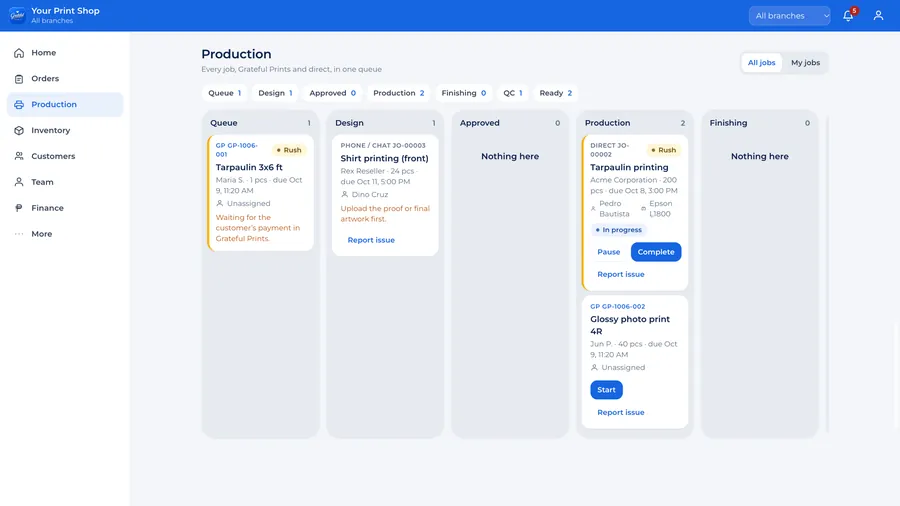
See which jobs are waiting, printing, finishing or done.
The production board follows each job through design, customer approval, production, finishing and quality check, until it is ready.
- Start, pause and complete jobs from the floor
- Report an issue on a job: machine, material, artwork or other
- Quality check with your own checklist, rejects and reprints counted PRO
- "My jobs" shows each person only their own work
Payments and balances START
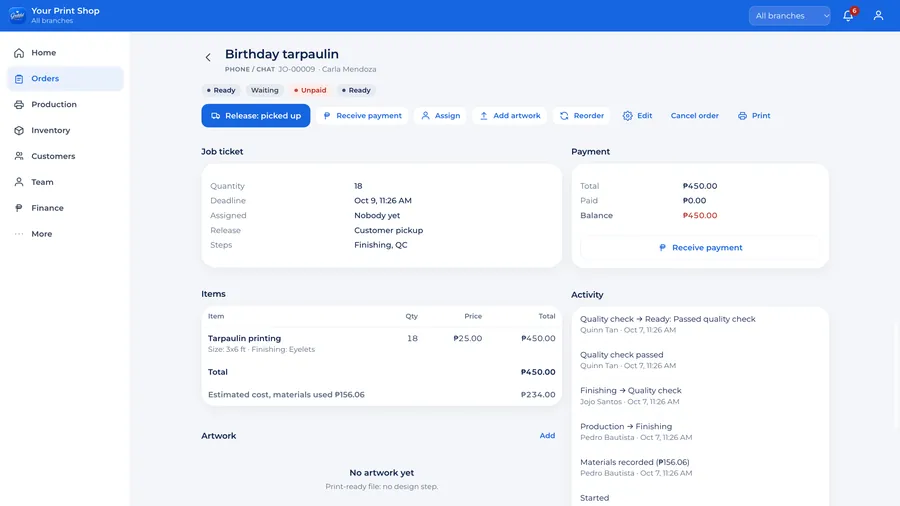
Know what is paid, partial or unpaid.
Record deposits and payments on each order: cash, GCash, Maya, bank, card or other. The balance follows the job all the way to release.
- Total, paid and balance on every job ticket
- A list of every order with a balance, ready to follow up
- Ready jobs with a balance are flagged before release
- Money in and out, with expenses by category
Customers START
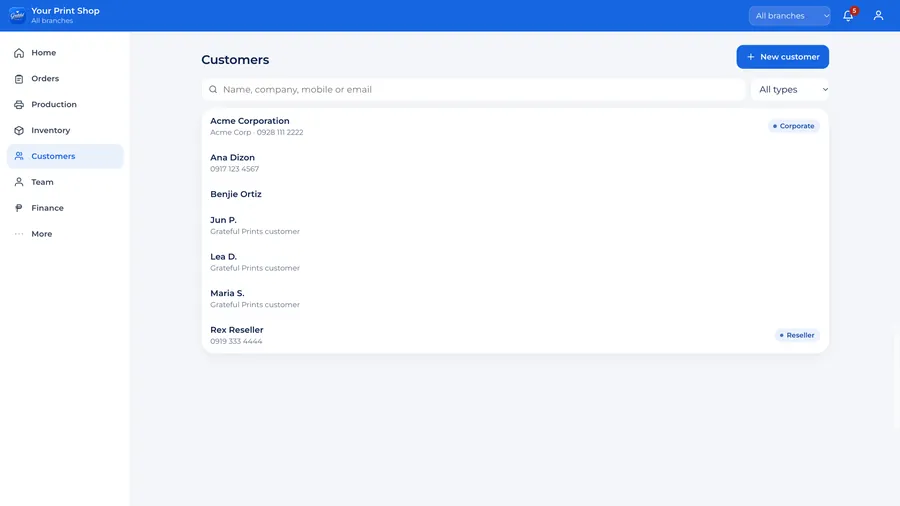
Customer details and order history, organized.
Profiles for regular, reseller and corporate customers, with every past order and what they still owe.
- Search by name, company, mobile or email
- Start a new order from the customer's page
- Repeat-customer report to see who keeps coming back
Products, pricing and quotations START
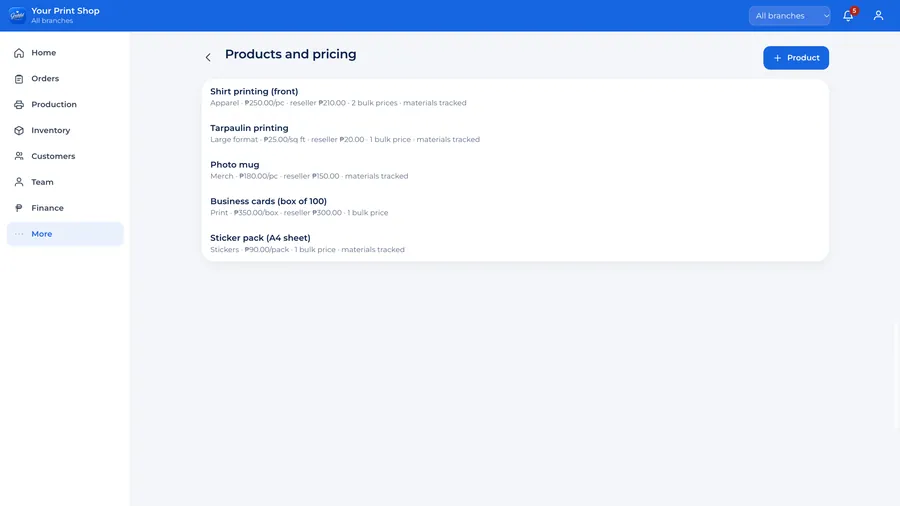
One price list the whole team follows.
Set regular, reseller and wholesale prices, bulk prices, costs and the materials each product uses. Quotations add materials, production, finishing, labor and markup to give the selling price.
- Bulk prices that apply by quantity
- Costs feed the profit reports
- Turn an accepted quotation into an order
And the rest of the shop.
- Inventory and purchasing PROStock goes up when purchases arrive and down when production uses it. Suppliers, purchase orders and low-stock alerts.
- Team and roles STARTManager, cashier, designer, production, inventory, quality control and delivery. Each role sees what it needs.
- Attendance and payroll PROTime in and out, late and overtime, leave and advances, and payroll you approve.
- Reports STARTSales, orders and balances in START. PRO adds profit, best sellers, turnaround, inventory, productivity and machines: 14 reports in all.
- Machines PROStatus, maintenance schedule and repairs, so a machine down shows up before it stops a job.
- Branches COMMANDRun more than one branch from one OS, with an all-branches view. On PRO, as an add-on. Each person can be limited to their branch.
- Audit trail COMMANDWho changed what, when, before and after. Records are never deleted.
- ExportsDownload your orders, customers and reports as spreadsheets.
- Phone, tablet and computerRuns in the browser. Nothing to install.
Ask GP COMMAND
Ask your shop a question.
Type a plain question in Bisaya or English. Ask GP answers from your shop's own records, and each person only sees what their role allows.
- "Pila sales today?" "Pila among gasto this month?"
- "Kinsa absent?" "Which orders are overdue?"
- "Unsay low stock?" "Kinsa wala pa nakabayad?"
Pila sales today?
Kinsa absent?
- Dodong VillaAbsent
- Ivy RamosAbsent
- Lito HelperAbsent
- Quinn TanAbsent
Real answers from the demo's sample shop.
3D virtual operations center · GP OS COMMAND
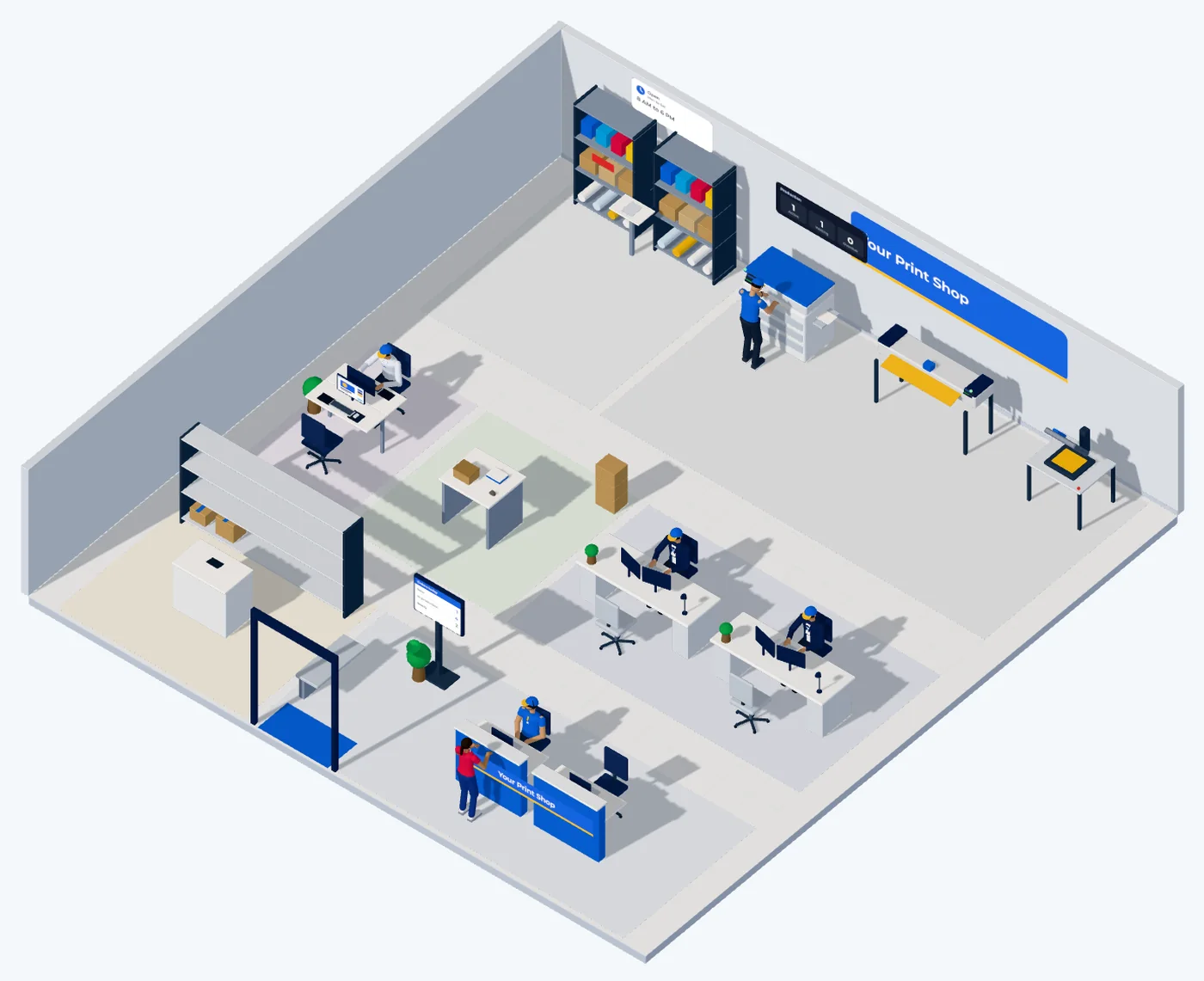
See your business. Not just numbers.
Pick your shop type and equipment, and the OS lays out your areas. Each area shows its live work, each person shows their status, and clicking an area opens its jobs, people and screens.
Standalone first, integration-ready
Your OS works on its own. The Grateful Prints connection only adds to it.
Your shop's records live in your own OS. If you connect to Grateful Prints, marketplace orders arrive as job tickets, while Grateful Prints keeps handling their payment and delivery. Connecting never changes your own records.
Your GP OS
Owned by your shop. Works with or without the marketplace.
- Orders, job tickets and production
- Customers and balances
- Products, prices and quotations
- Payments you record, money in and out
- Team, attendance, payroll and stock
Grateful Prints marketplace
Only if you connect, with your approved partner account.
- Marketplace orders arrive as job tickets
- Customers find your partner profile
- Marketplace payment and rider delivery stay with Grateful Prints
- Your earnings from marketplace orders show in your sales
Your records, your team, your rules.
- Only your teamPeople see your OS only after you invite them, and only within the role you give them.
- Support only when you open itGrateful Prints support can look in only after you open a support window. It is read-only, lasts up to 72 hours and is logged.
- Yours to exportDownload your orders, customers and reports anytime.