Print shop
Design Print Cut Finish QC Pack
Grateful Prints Operating System
Manage your orders, production, customers, inventory, team, sales, equipment and daily operations from one connected workspace.
Request a demo · Works on its own. Connects to Grateful Prints when you're ready.
The print shop problem
Hindi problema ang maraming orders. Ang problema, kapag hindi organized. When orders live in chats, notebooks and memory, things slip.
Pa-print po ng tarpaulin, 3x6. Kailan po makukuha?Customer · 8:14 AM
Magkano po 100 pcs na stickers?Customer · 8:20 AM
Nag-GCash na po ako ng half kahapon ha.Customer · 9:02 AM
Ready na po ba yung shirts? Pick up ko sana mamaya.Customer · 9:15 AM
Wait lang po, check ko sa notebook.You · 9:31 AM
Notebook: "tarp 3x6, Ana?, 2 days?" · "shirts 24 pcs, paid?" · "stickers, quote later"

The GP OS solution
GP OS moves your shop from owner-dependent, scattered processes into a structured operating system that your whole team can follow.
 With GP OS
One connected workspace. Mas organized ang print shop mo.
Everything in one place
Each area does one job well and hands the work to the next. The tag shows the first package that includes it.
Today's business overview.
Know where things stand the moment you open the OS.
Every customer job, quotation and payment.
Nothing gets lost between the chat and the counter.
Active work by stage, person and deadline.
Everyone knows what to make next.
Records, order history and balances.
Serve repeat customers faster.
Materials, stock, purchases and suppliers.
Reorder before you run out.
Machines, their status and maintenance.
See a machine problem before it stops a job.
Check jobs before release.
Fewer reprints and returns.
Packed and ready orders.
A clear packing step before release. Ready, pickup and delivery work today.
Ready, released, picked up or delivered.
Every job ends with a clear hand-off.
Staff accounts and roles. PRO adds permissions, attendance and payroll.
Each person sees what their job needs.
Money in and out, today and this month.
See revenue without counting the cash box.
Sales, orders and balances. PRO adds profit, best sellers, turnaround and productivity.
Decide with numbers.
More than one location, with an all-branches view.
One view across every branch. On PRO, as an add-on.
Visual operations monitoring.
See the whole shop at a glance.
GP Connect to Grateful Prints.
Add marketplace orders when you're ready. More integrations are future ready.
How it works
Quote, take the order and record the deposit.
Assigned, started and finished, stage by stage.
Checked before it leaves the shop (PRO).
Passed jobs wait for release. Packing step: planned.
Released, with the balance checked first.
The sale lands in your reports.
See the real system
Real screens, filled with a sample shop. Explore the full demo yourself: no sign-up, nothing to install.
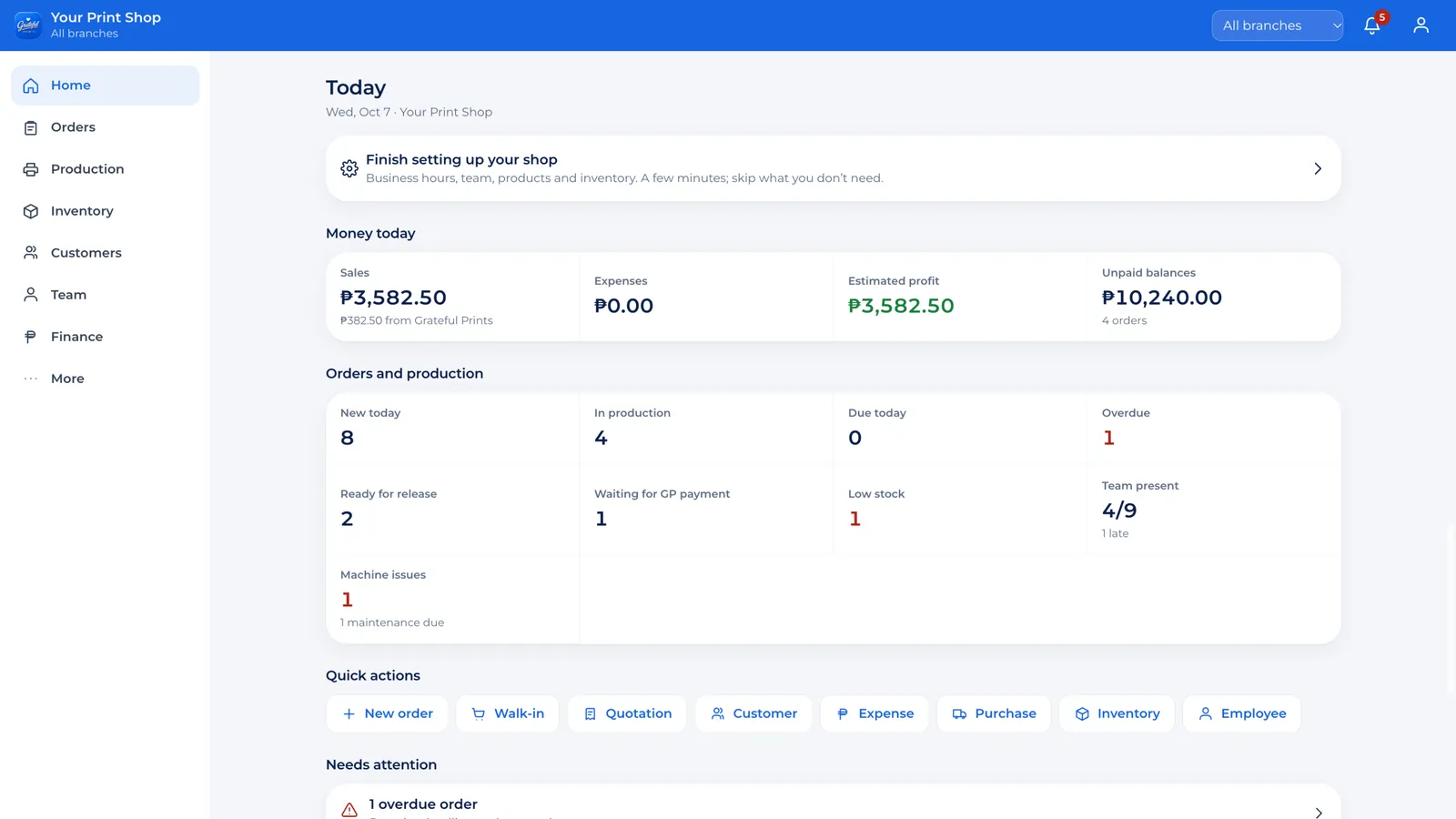
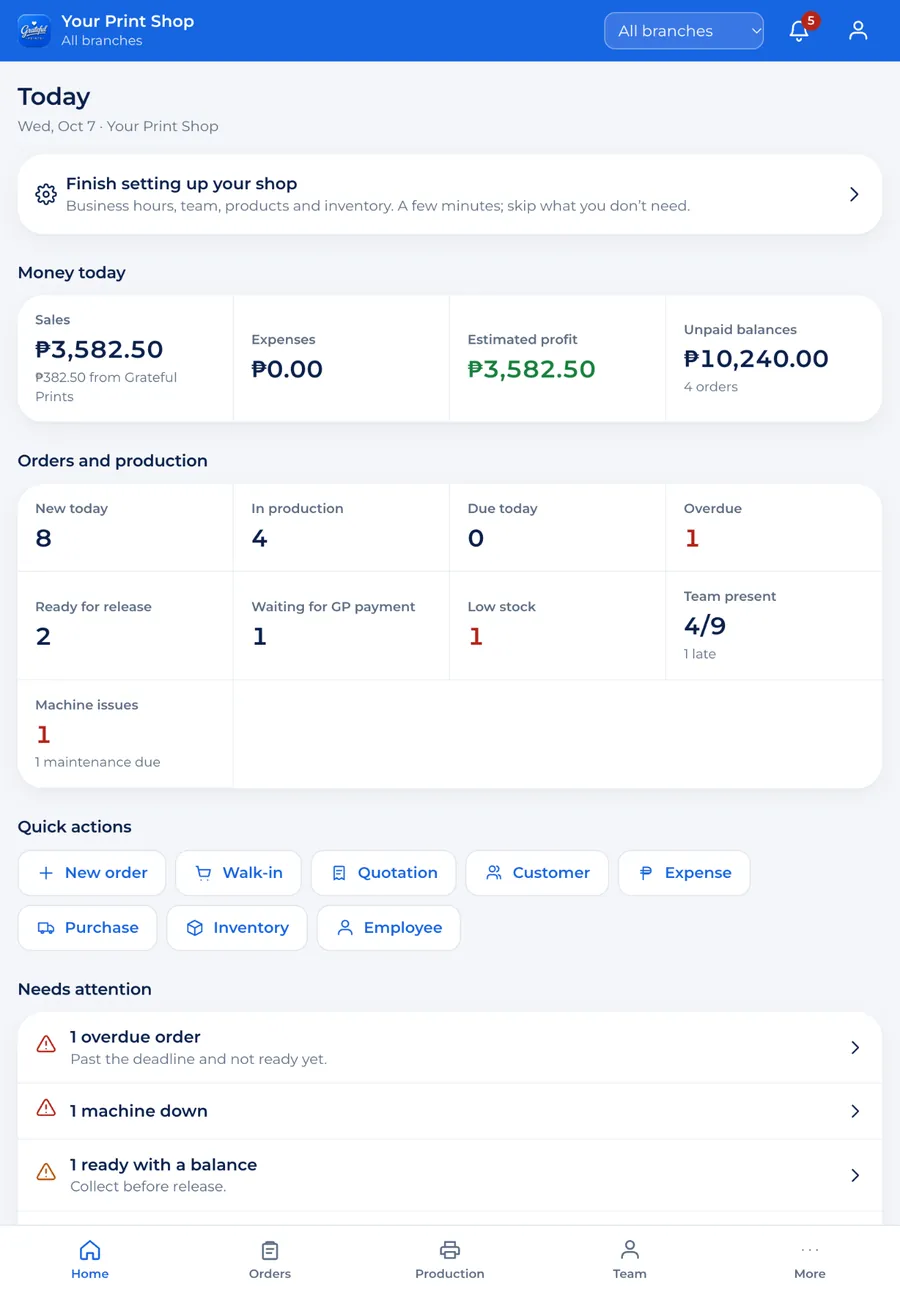
Today: sales, unpaid balances, jobs in production, what is overdue, low stock and who came in.
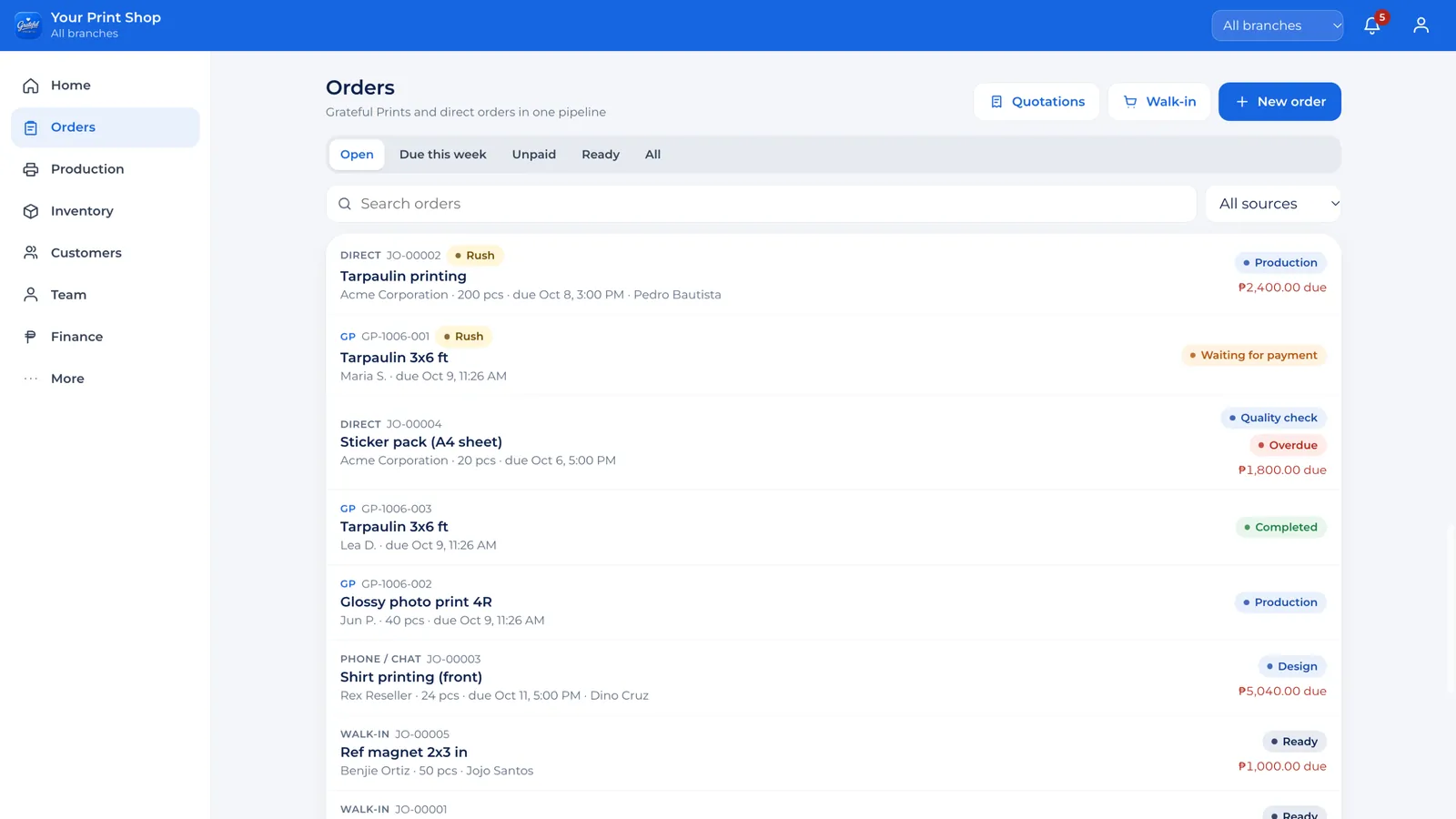
Walk-in, chat, phone and Grateful Prints orders in one list, each with its stage and payment status.
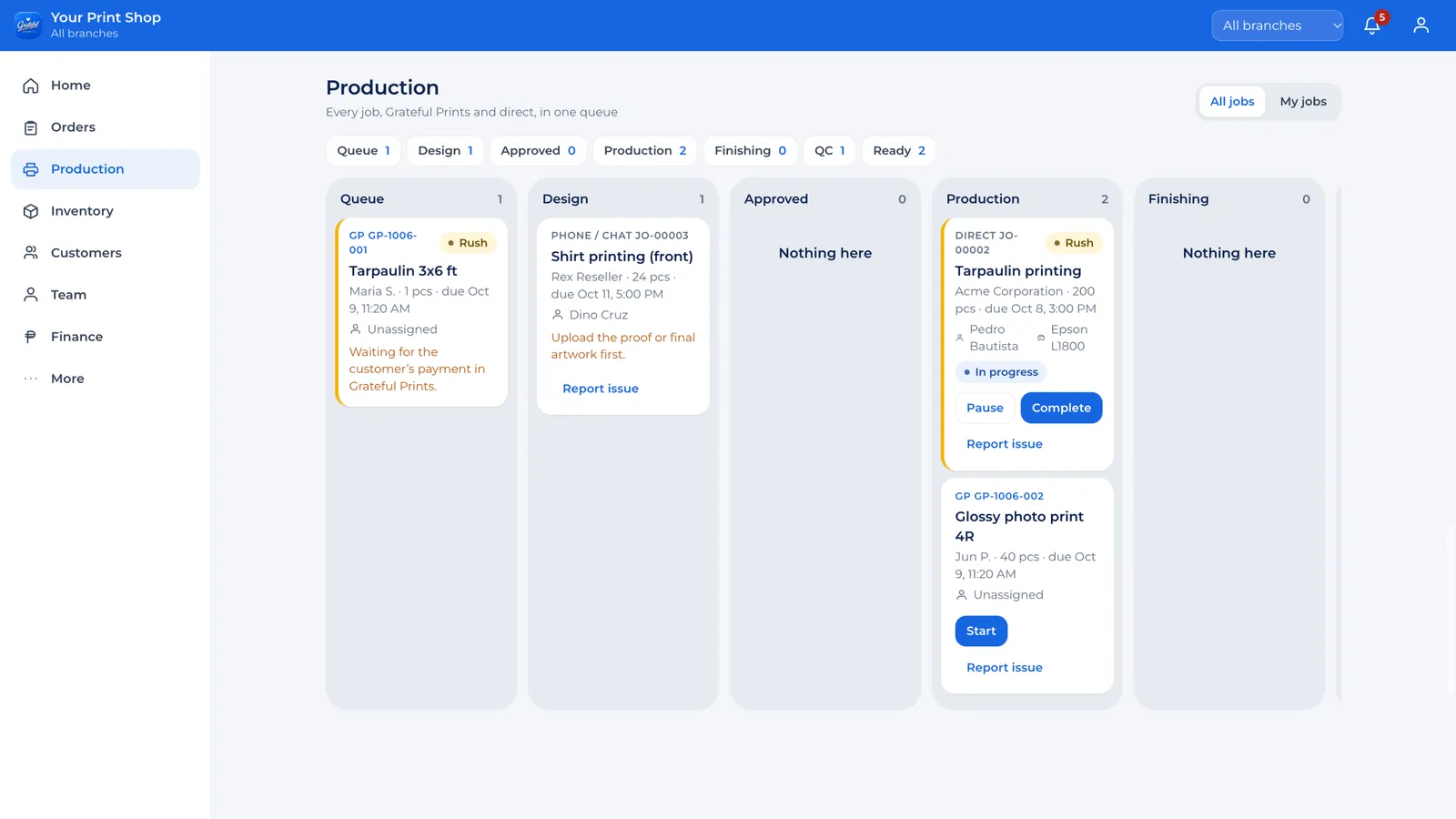
The production board: queue, design, approval, production, finishing, quality check and ready.
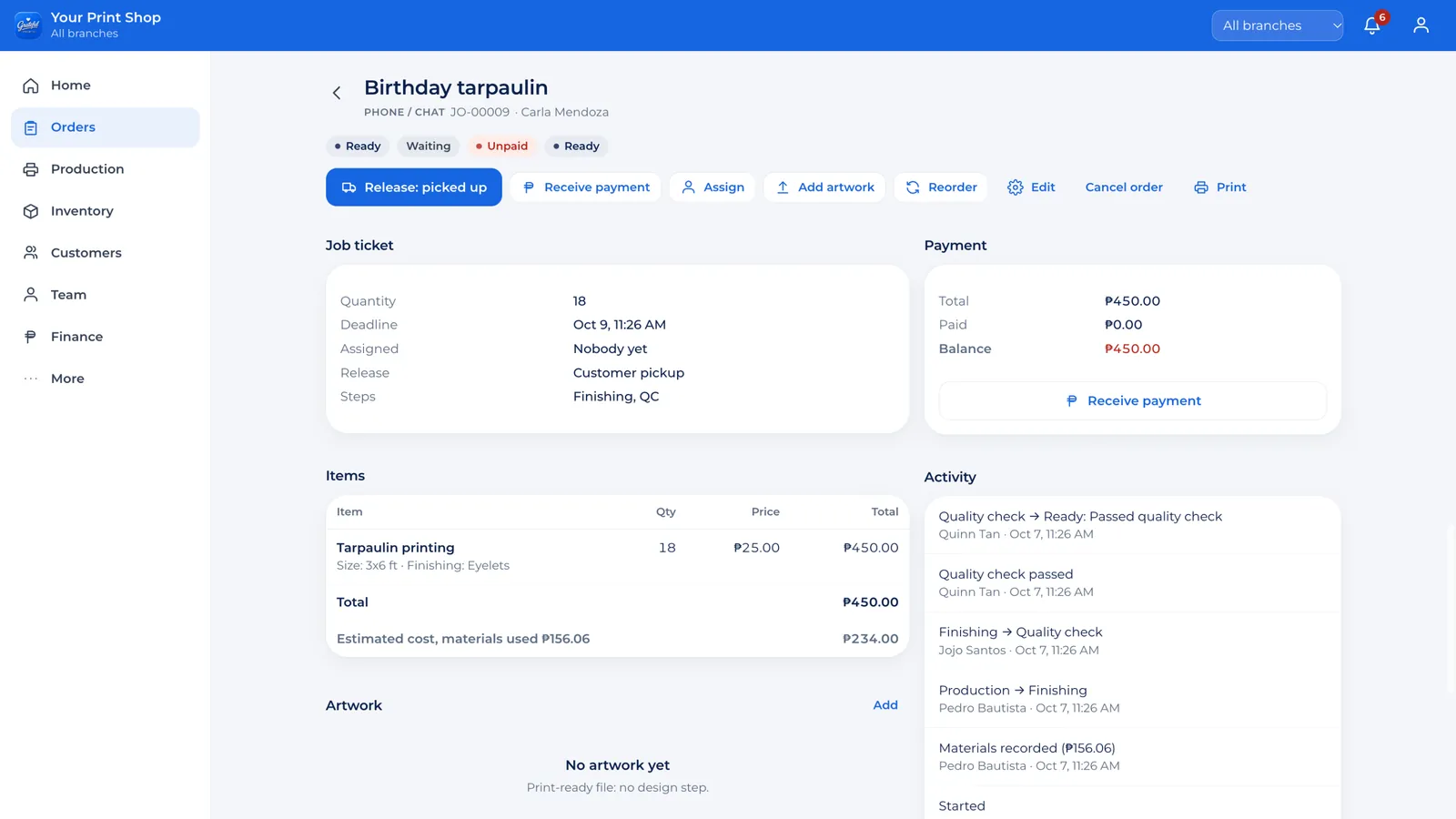
One job ticket: items, deadline, who is assigned, payment and balance, and every step in the activity log.
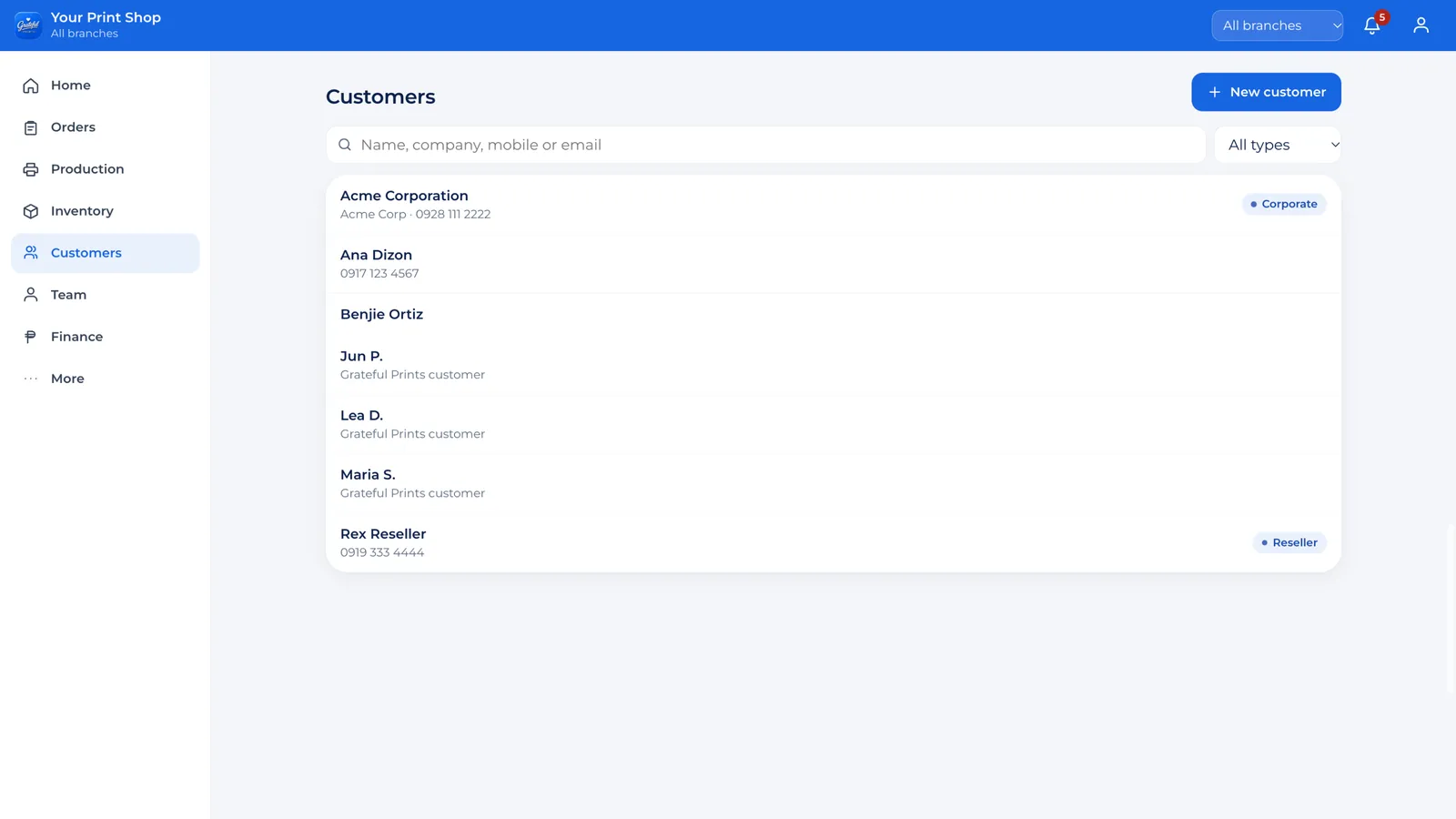
Customers with their history and balances, for regular, reseller and corporate clients.
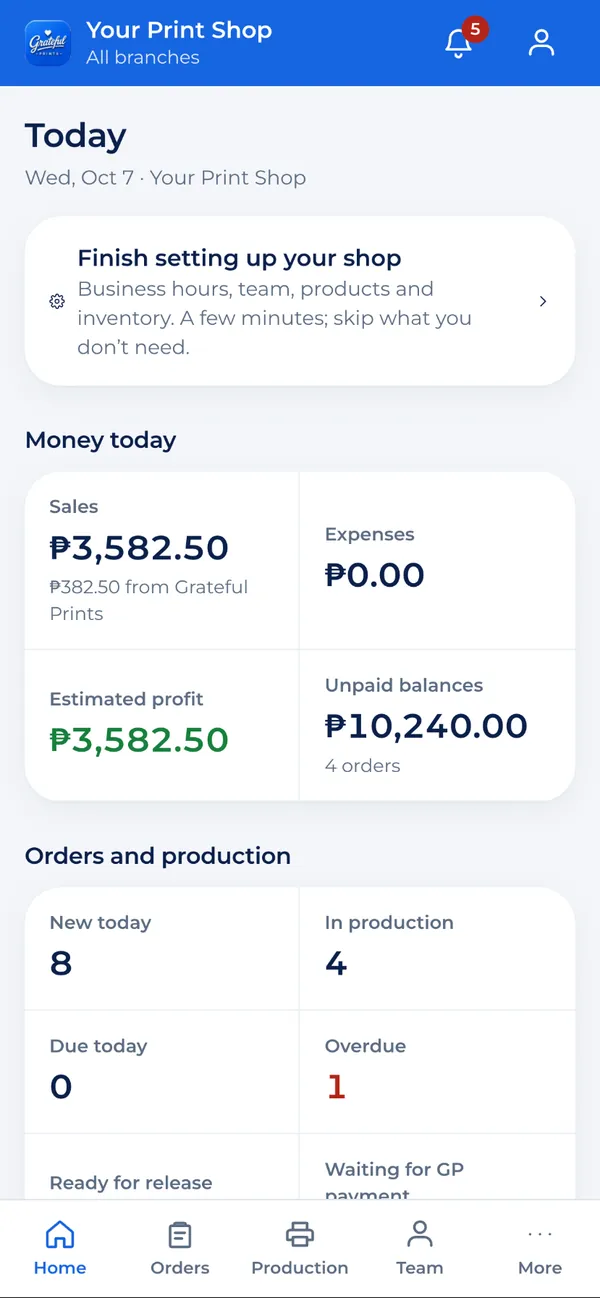
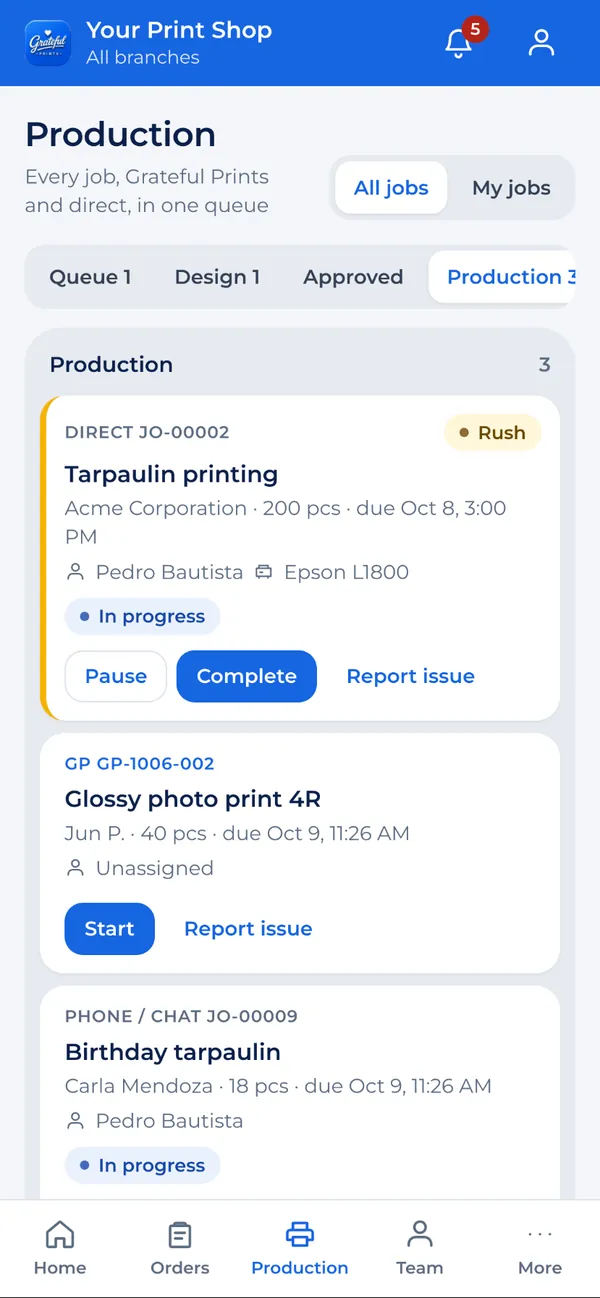
Sample data only. Nothing you do in the demo is saved.
3D virtual operations center · GP OS COMMAND
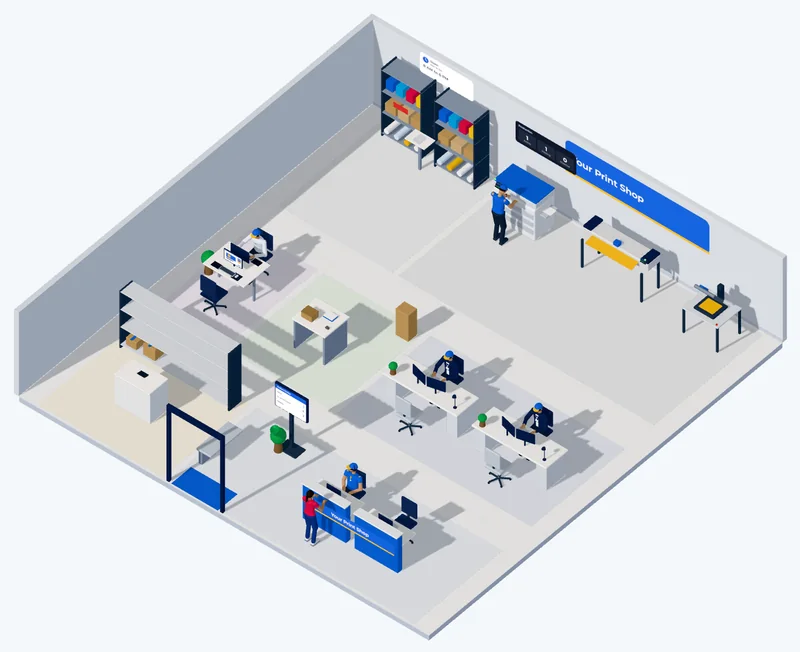
GP OS shows your real operation as a live 3D shop: your team at their stations, production areas, machines, stock, quality control, today's workload and what needs attention.
"Parang nasa shop ka pa rin kahit wala ka physically doon."
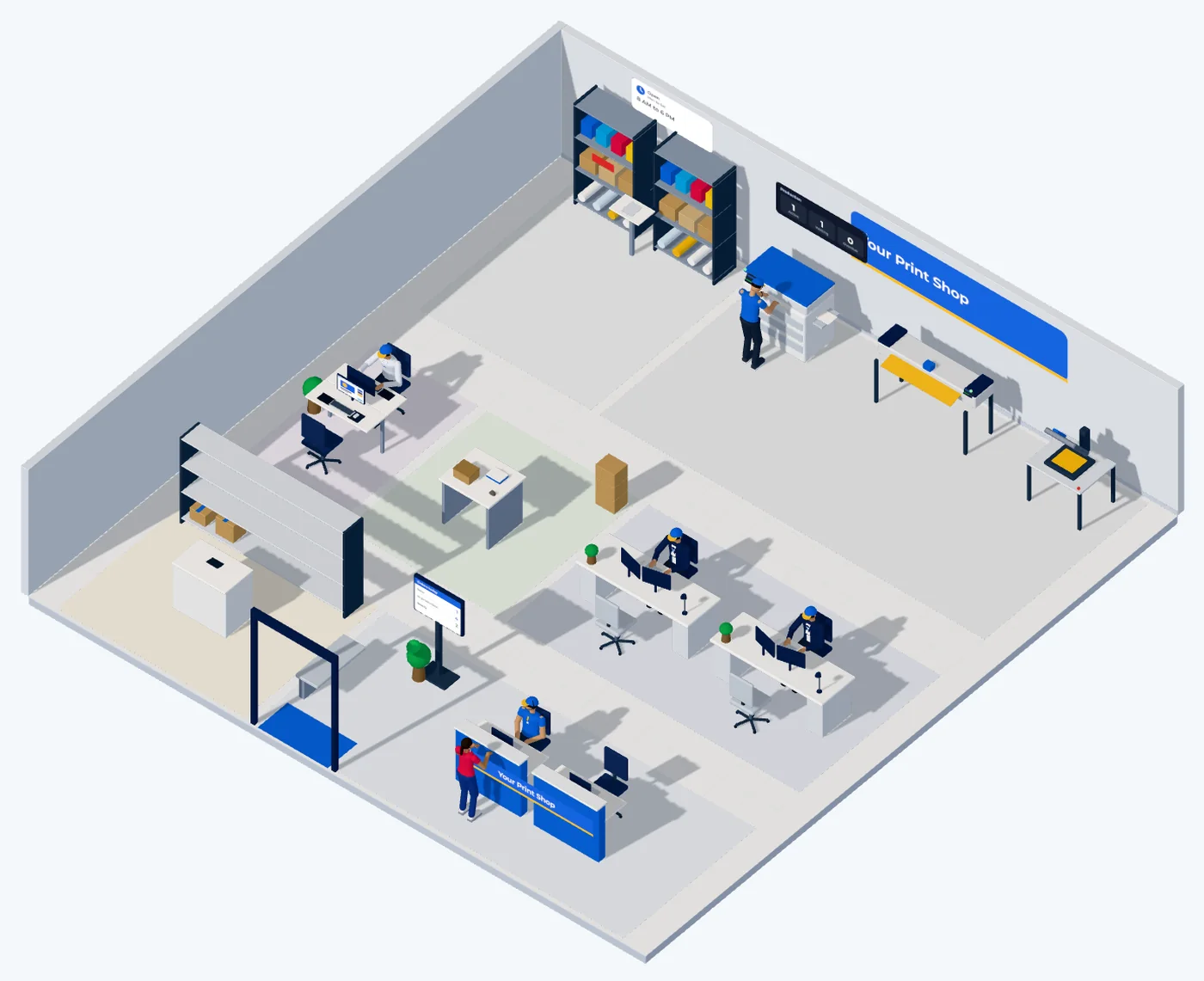
For many business owners, visual monitoring can make the overall operation easier to understand than repeatedly checking multiple tables and screens.
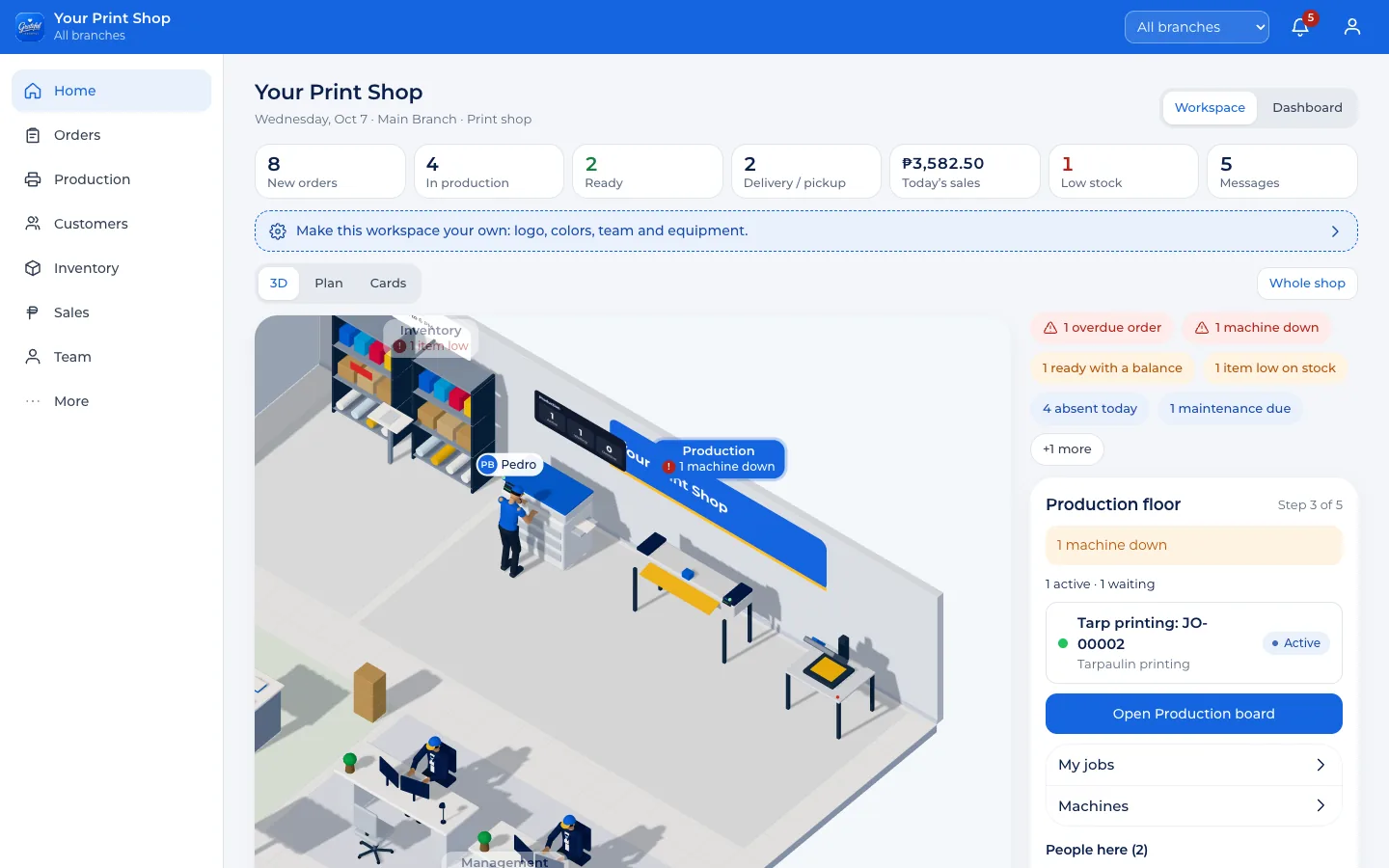
Interactive 3D view. Best on Wi-Fi.
Remote owner monitoring
Open GP OS on your phone, tablet or computer. You don't need to call or message your staff just to ask how things are going.
Kinsa wala pa nakabayad?
Which orders are overdue?
Ask GP answers in Bisaya or English from your own records, and each person only sees what their role allows. Real answers from the demo's sample shop.
Make it yours
Set GP OS up the way your shop actually runs.
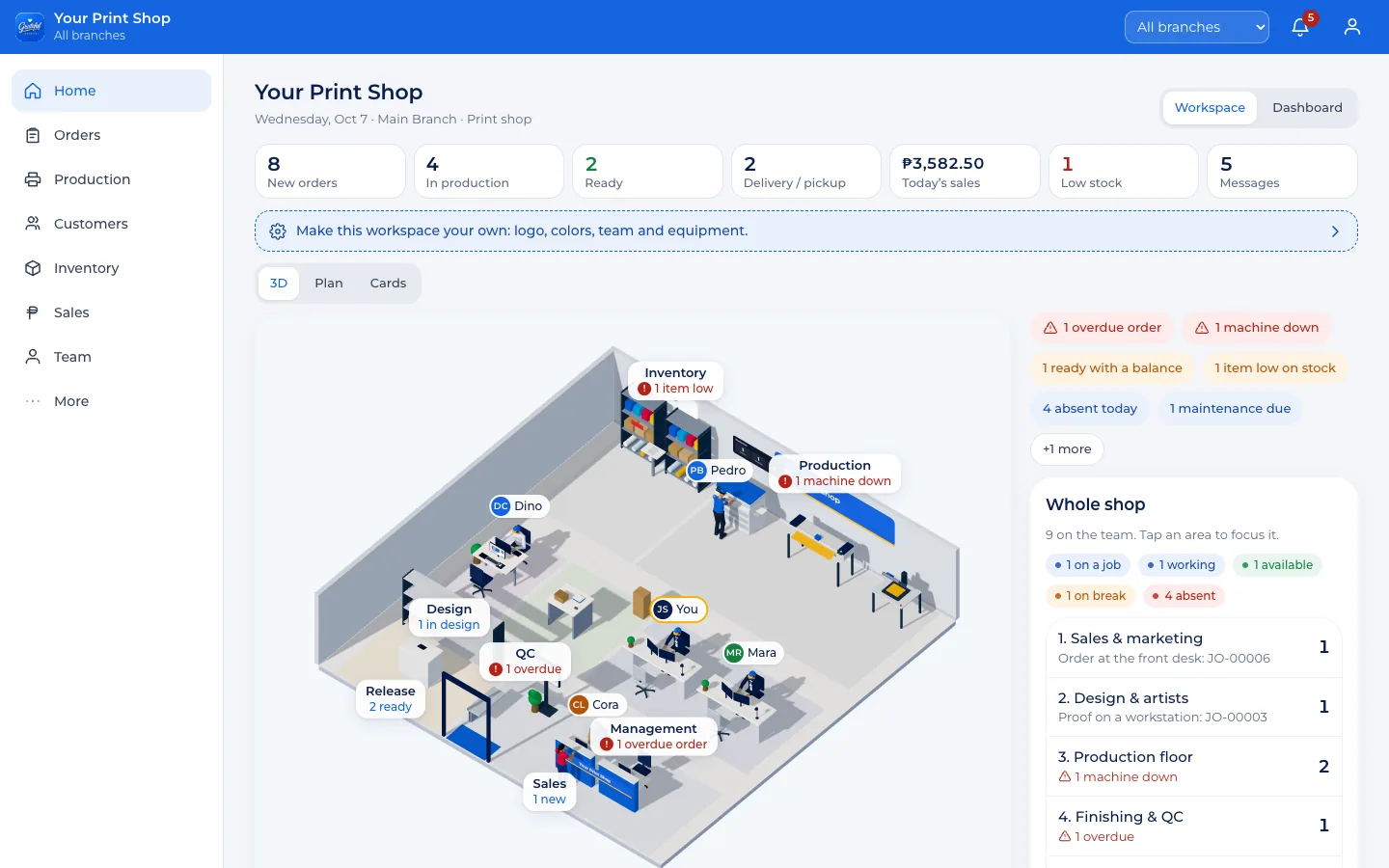
In GP OS COMMAND
Built for printing and production
Pick your shop type during setup: print shop, sublimation, large format, sticker, apparel, crafter or hybrid. GP OS arranges its areas and equipment to match.
Design Print Cut Finish QC Pack
Prepare Print Press QC Pack
Artwork Print Powder Cure Press QC
Prepare Customize Assemble QC Pack
Order Production Inventory Packing Dispatch
Planned for PRO Start with a proven workflow for your business type and adjust it to how your shop really works. Today every job follows design, approval, production, finishing, quality check and ready, and you choose which steps each product needs.
Packages
One system, three packages. Pick the one that fits today and move up as you grow. Your records stay when you do.
Founding Client Offer. The first 20 shops get GP OS PRO at ₱999 a month for their first 12 months, free Basic OS Setup, a direct feedback line to our team and early access to new features. Apply for a founding slot
GP OS START
Small shops, home-based printers, solo owners and small crafters.
₱699/ month
Or ₱6,990 a year, 2 months free.
The system Guided business setup Workflow structure
1 branch
Choose STARTGP OS PRO
Growing shops, businesses with a team and higher order volume.
₱1,299/ month
Or ₱12,990 a year, 2 months free.
The system Operations setup Production workflow Inventory, QC and team
Everything in START, plus:
1 branch, more with an extra-branch add-on
Choose PROGP OS COMMAND
Established shops, high-volume production, multi-team and multi-branch businesses.
See and control the entire operation from one visual command center.
From₱2,499/ month
Custom 3D work is quoted after the demo. Or from ₱24,990 a year, 2 months free.
The system Advanced operations Custom 3D workspace Owner command center Room to scale
Everything in PRO, plus:
Multiple branches
Request COMMAND demoWant it done for you? See setup services, from ₱1,999 one-time.
Planned items are on the way and are not sold as available yet.
| Feature | START | PRO | COMMAND |
|---|---|---|---|
| Business dashboard | Included | Included | Included |
| Orders, quotations and payments | Included | Included | Included |
| Customers | Included | Included | Included |
| Products, services and pricing | Included | Included | Included |
| Production queue, stages and deadlines | Included | Included | Included |
| Ready, pickup and delivery | Included | Included | Included |
| Staff accounts and roles | Included | Included | Included |
| Sales and basic reports | Included | Included | Included |
| Notifications | Included | Included | Included |
| GP Connect ready | Included | Included | Included |
| Inventory and purchasing | Not included | Included | Included |
| Equipment and maintenance | Not included | Included | Included |
| Quality control | Not included | Included | Included |
| Permissions, attendance and payroll | Not included | Included | Included |
| Advanced reports | Not included | Included | Included |
| Custom workflows | Not included | Planned | Planned |
| Packing step | Not included | Planned | Planned |
| 3D virtual operations center | Not included | Not included | Included |
| Owner command center | Not included | Not included | Included |
| Multi-branch | Not included | Add-on | Included |
| Audit trail | Not included | Not included | Included |
| Ask GP | Not included | Not included | Included |
| GP Insights alerts | Not included | Not included | Planned |
A real operating system for your business, set up for your team, not just a dashboard login.
GP Connect
A business does not need to join the Grateful Prints marketplace to use GP OS. It works on its own. If you connect later, GP Connect links your OS to the wider Grateful Prints ecosystem, and your records stay yours.
 Optional, anytime
Connecting is free and needs an approved Grateful Prints partner account. Partner terms apply to marketplace orders only.
A connected order
Delivery and customer updates come from Grateful Prints. Next: your job status written back to the marketplace order automatically. Future ready
Why we built it
Grateful Prints works with print shops in the Philippines, and the same problem keeps coming up: the orders are there, but keeping track of them is hard. GP OS is the system we built for that. It works whether or not you ever sell on our marketplace.
"We build the people first, and people build the business. We collaborate, not compete."

Questions
GP OS is a business operating system for printing and production businesses. It runs your orders, production, customers, inventory, team, sales and equipment in one connected workspace, on phone, tablet and computer.
Yes. GP OS works on its own. Your shop, customers and records stay in your own workspace.
No. You only need a free Grateful Prints sign-in. A partner account is only needed if you later connect to the marketplace.
Yes, through GP Connect. Marketplace orders then arrive as job tickets on your production board. Connecting never changes your own records.
START if you want your orders, customers and production organized. PRO if you run a team with inventory, equipment and quality control. COMMAND if you want to see and control the whole operation, in 3D and across branches.
Yes. Move up anytime. Your records stay, and the new package's features turn on.
Every package includes the guided setup inside the OS. PRO adds an onboarding call with our team, and COMMAND includes Basic OS Setup done for you. Setup services are available for any package. See setup services.
Yes. It runs in the browser on phones, tablets and computers. Owners check the shop from anywhere, and staff update their jobs from the floor.
Yes. Each person signs in with their own account and gets a role: manager, cashier, designer, production, inventory, quality control or delivery. PRO adds per-person permissions, attendance and payroll.
Today you choose which steps each product needs: design, customer approval, finishing and quality check. Custom stages and workflow templates for print, sublimation, DTF and crafter shops are planned for PRO.
Yes. Your logo and colors show in your OS, and in COMMAND on the signage of your 3D workspace.
Yes, in PRO and COMMAND. Stock goes up when purchases arrive and down when production uses it, with suppliers, purchase orders and low-stock alerts.
It's part of GP OS COMMAND: a live 3D view of your shop drawn from today's records, with your team at their stations, machines, stock and what needs attention. Click an area to see its jobs and people.
Yes. COMMAND includes multiple branches with an all-branches view. On PRO, an extra-branch add-on opens more than one branch.
Only your team, within the role you give each person. Grateful Prints support can only look in when you open a support window yourself. It is read-only, lasts up to 72 hours, and every page support opens is recorded in your audit trail.
Ask GP is part of COMMAND. Type a plain question like "Pila sales today?" or "Which orders are overdue?" in Bisaya or English. It answers from your shop's own records and only shows what that person is allowed to see.
Choose monthly or yearly. After you send your details, we send a payment link for QR Ph, GCash or Maya. Bank transfer also works. Your OS is created once payment is confirmed.
Monthly packages can stop before the next month starts. After a 7-day grace period your OS turns read-only, so you can still see and export your orders and customers.
We start with the demo instead: explore the full OS with a sample shop, with no sign-up. When you're ready, the Founding Client Offer gives early shops a lower rate and free setup.
No. Your package is a flat monthly or yearly price, and orders from your own customers carry no commission. Only orders that come through the Grateful Prints marketplace follow its partner terms.

Run your orders, production, customers, inventory, team, sales and daily operations from one connected system.
Grateful Prints Operating System
Packages from ₱699 a month · Pay by QR Ph, GCash, Maya or bank